
The scale
Counted from the running system on September 18, 2026, not estimated.
On modest hardware
2 processors. 4 GB of memory. All of it.
Every workflow, the database, the web server, the connection pooler and the admin tools run on one modest server. Nothing here was solved by buying a bigger machine. It was solved by deciding where each piece of work belongs.
Load figures from the live server on August 29 and September 13 and 18, 2026, and the scan on September 9 and 19. The seven-client export was run by hand.
The database does the heavy lifting
Three hundred functions live inside the database, so the work happens next to the data instead of being carried back and forth. Answers leave the database already finished, and one change there took a practice's opening load from 2.6 seconds to 0.57.
Twenty connections, used properly
A connection pooler shares a small, fixed set of database connections between everything that needs one. Under a full load test only one or two were ever busy, so the rest is headroom rather than memory spent on connections sitting idle.
Heavy work runs beside the app, not inside it
A full export is packed by a separate process the server can put on whichever core is free, and it streams straight out rather than being built in memory first. Three run at a time and the rest wait their turn, so one big archive never slows everybody else down.
Limits chosen on purpose
The automation engine is capped at two gigabytes and twenty jobs at once, and every limit on the box was sized against the hardware rather than left at a default. Past the limit, work queues. It does not fall over.
Push when it matters, sweep when it does not
When a bookkeeper accepts something it is delivered in the same breath, and a sweep every minute catches anything left. Screens that watch for changes are gated, so an open browser does not become a steady stream of wasted work.
Nothing kept that does not need keeping
A successful run leaves no copy of its data behind, backups stream off site instead of piling up on the disk, and the automation history prunes itself after a week. The disk is a third full.
Security
Each one is also stated, and was checked, on the Global Office: Sync security page.
- Traffic has one way inPublic requests pass through Cloudflare, and a request that tries to reach the server around it is refused.
- Guessing is slowRepeated wrong passwords from one address stop being accepted for a while, and repeated attempts on the server's own login are blocked.
- The browser is never trustedWho may see a record is decided by the server every time information is requested.
- Documents stay privateA link to a stored document stops working within 12 hours, and no notification email carries a name, an amount or an attachment.
Our first product
Global Office: Sync
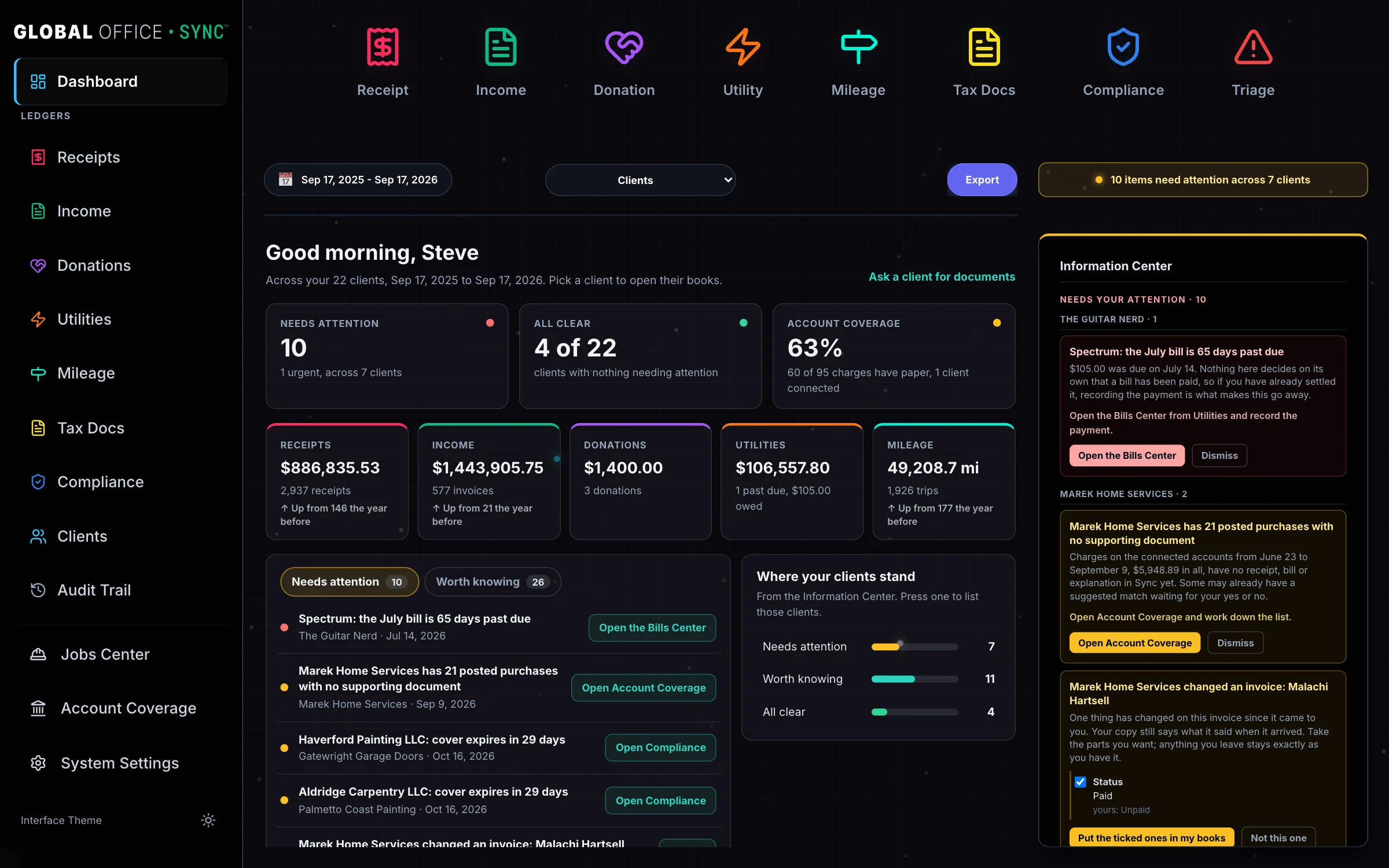
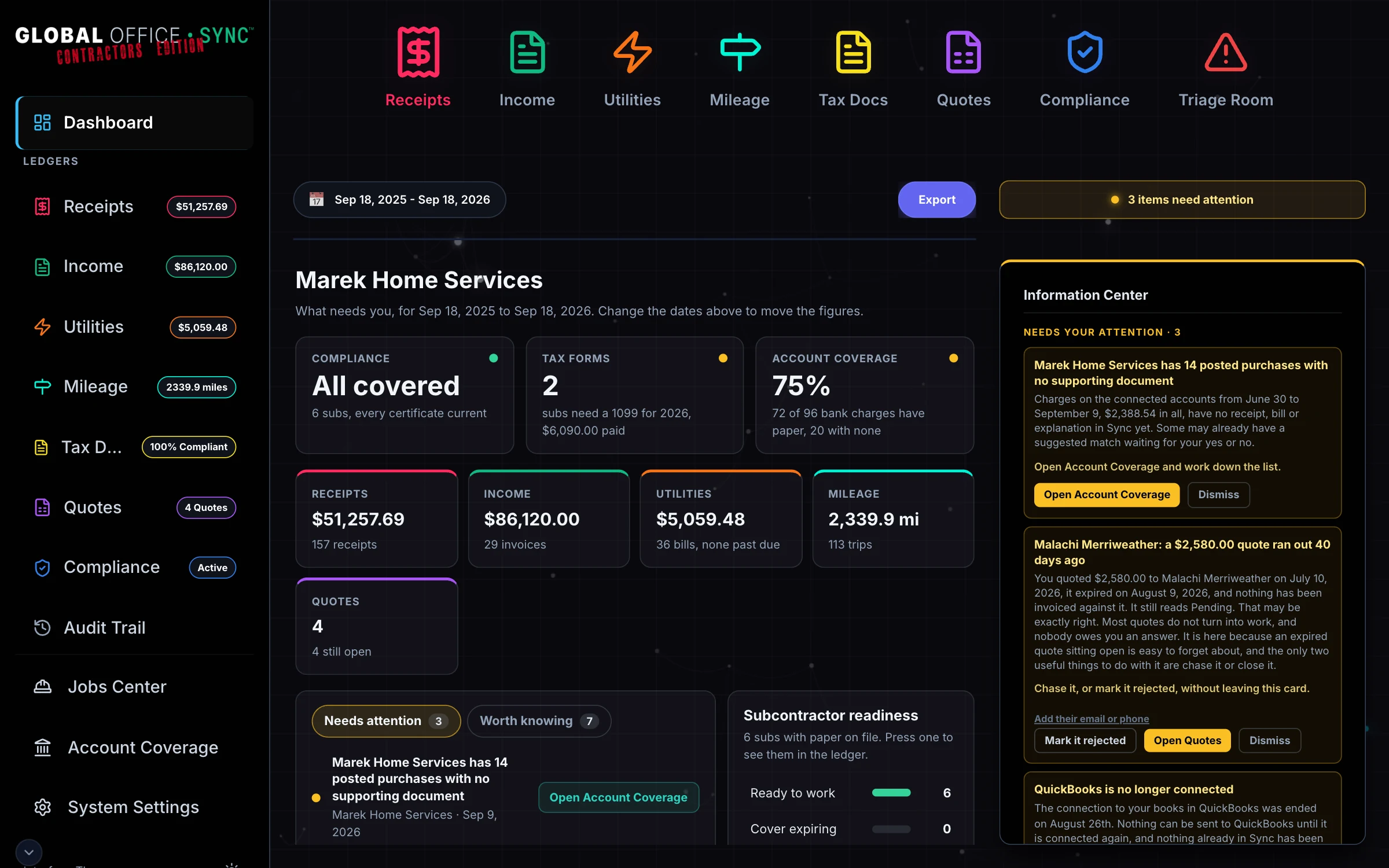
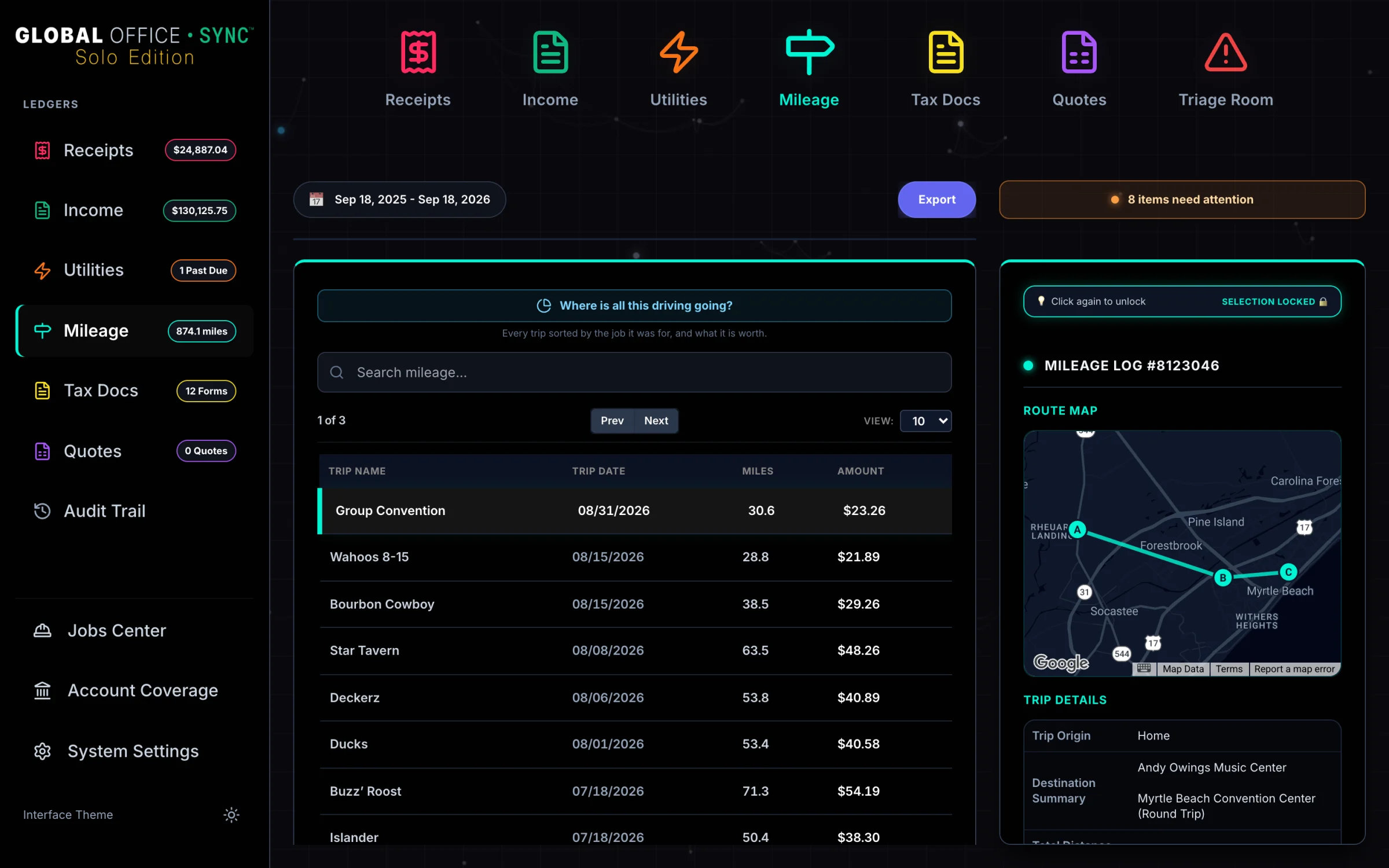
Everything that happens to a business's paperwork before it becomes the books. Receipts, bills, invoices, W-9s and insurance certificates are read, checked, matched to the bank, and handed to QuickBooks Online, Xero or FreshBooks with the original attached. Along the way it notices what is missing: the charge with no receipt, the lapsed certificate, the 1099 nobody has sent.
Three editions from one codebase: one for bookkeepers running a whole practice, one for contractors with people working for them, and one for somebody working alone.
Hard problems, already solved 24 of them, and every one was a real fault found and fixed
Nothing is ever posted twice
A job that fails partway and runs again must not send the same bill to QuickBooks twice. Every record carries its own key through a durable queue, so a retry finishes the work instead of repeating it.
Three platforms, three different shapes
QuickBooks Online, Xero and FreshBooks, against their live APIs: sign-in that renews itself, backing off when a platform asks, attachments that travel with the entry, and every line matched to that client's own chart of accounts. FreshBooks is not QuickBooks with different words, and it is built that way.
A database that holds its own rules
The audit trail can be added to and never edited or deleted, enforced by the database rather than by code that could be bypassed. A tax number is refused unless it is encrypted. Who may see a record is decided by the server on every request, never by the browser.
Automation that approves nothing on its own
Documents arrive by photo, email and upload, and every one of them ends in a person accepting, correcting or declining it. Anything that cannot be read is held for review rather than dropped, and a failed step is caught and retried rather than lost.
Backups that have been proven
Every change is sent off site within minutes, with a full copy nightly and weekly, and the system can be restored to a chosen minute. Restores are practiced, not assumed: real backups are restored into a separate copy and the encrypted information is shown to open with keys kept apart from them.
n8n at production scale
Eighty-six workflows carry the whole product, and each place n8n bends under real load has been found, measured and built around, from how it queues work to what it does when a step quietly returns nothing.
Documents read at volume
Reading one receipt is easy. Reading a steady stream of receipts, bills, invoices and tax forms in whatever shape they arrive, and knowing a shop from a subcontractor, is a different problem.
Exports that hold constant memory
A full archive is written out as a stream rather than assembled in memory first, so however large the records grow, the server needs the same amount of memory to export them.
A success that carried nothing
An automation step can report success and hand back an empty answer, and the screen would have shown nothing wrong while nothing was saved. Every place that could happen was found, and an empty success is now treated as the failure it is.
One customer's records stay theirs
Which business a request belongs to is checked in every statement that touches the books, the same way every time. The places a crafted request could have slipped past that check were found by attacking them, and closed.
A blip that became permanent damage
A dropped connection halfway through saving could leave half a record behind. Every save is now a single statement that lands whole or not at all, so a network hiccup costs a retry and nothing else.
A $2,500 invoice filed as $2.00
A comma in an amount turned a real figure into a plausible wrong one that nobody would notice. Amounts are now read strictly, and anything that cannot be read cleanly is refused rather than guessed.
One bad field sank the whole save
A single value the database could not read made it refuse the entire record, which is why typing income in by hand once never worked at all. Each value is now checked on its own, so one bad field is reported and the rest is not thrown away with it.
A deadline measured against a frozen date
Insurance that had lapsed read as current because one check compared it against a fixed date instead of today. Every expiry is now measured against the real date.
One request, one hundred seconds
Anything that takes longer than a hundred seconds is cut off at the edge of the network. Long work such as a full export runs in the background and is collected when it is ready, so no request is ever waiting that long.
Two businesses, one QuickBooks company
Two client profiles can point at the same accounting company, and reconnecting one must never disturb the other. It was proven live and built for, rather than assumed away.
Account numbers that are not unique
Every client numbers their own chart of accounts, so the same number means different things in different books. Every lookup is scoped to the one client it belongs to, and a leading zero is never lost on the way.
The same money reported twice
Card and payment app payments are already reported to the IRS by the processor. The 1099 worksheet separates them out and says so, so a subcontractor is not reported for money that was reported already.
A record that would echo forever
Records travel both ways between a contractor and their bookkeeper. Anything that arrived over that connection never travels back over it, so a change cannot bounce between two sets of books indefinitely.
Rules that change on their own schedule
The IRS mileage rate, tax thresholds and category mappings change from outside. They live in the database rather than in the code, and each trip is valued at the rate in force on the day it was driven.
Printing a blank page
The print button really printed, and what came out was empty. Two screens hid each other on paper and the rest was clipped at the fold. It was fixed, and the proof is a test that counts the ink on the actual PDF.
A phone is not a desktop browser
Safari reports a tap as a mouse, and a desktop browser cannot say what an iPhone will draw. Screens are checked in both Chrome and WebKit, the engine the iPhone itself uses, at phone, tablet and desktop widths from 320 to 1,920 pixels, with touch turned on where a phone would have it.
A late answer that undid a choice
A list that finished loading after somebody had already picked from it quietly put the old selection back. That was found and fixed: an answer arriving late no longer overrides a choice made while it was loading.
Two editors, one workflow
When two tools could publish the same automation, one would silently put back the other's older version. Every workflow has one owner now, and a change is read back from the running version before it counts.
What we take on
Senes Visual takes on work outside its own product, and none of it is tied to one set of tools.
- n8n automationWorkflows built to run in production: designed, tested, monitored, and fixed when a platform changes underneath them.
- Accounting platform integrationQuickBooks Online, Xero and FreshBooks, including the parts their documentation leaves out.
- Document processingGetting paper in, reading it, checking it, and putting it where it belongs with a person approving it.
- Databases that enforce the rulesPostgreSQL designed so the data stays right even when the code around it changes.
- Whole productsFront end, back end, hosting, security and backups, built and run as one thing.